

Gaussian Splats (Particle Fields)#
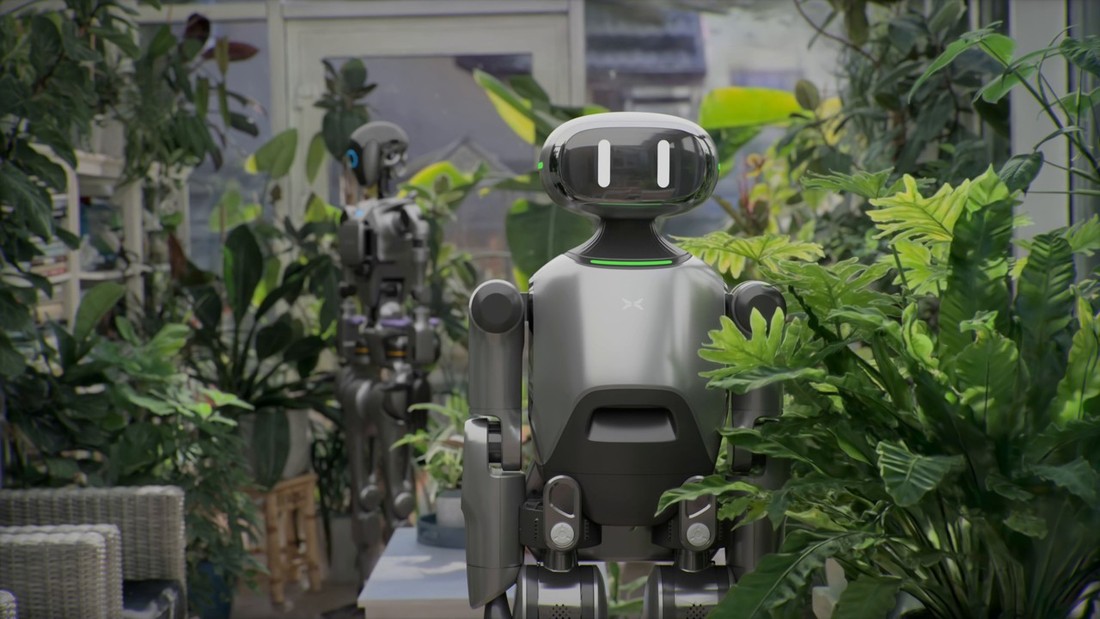
Winter Garden 3D Gaussian Splat rendered together with polygonal robots.#
3D scanning data created and provided by Andrii Shramko, Teleportour (teleportour.com)
Particle Fields are a new geometry type in OpenUSD for rendering 3D Gaussian Splats (3DGS) and other radiance fields such as 3D Gaussian Unscented Transforms (3DGUT).
Omniverse RTX renders these fields natively, with full path-tracing. This means that particle fields can be rendered with all camera types, including defocus and motion blur effects, can cast and receive shadows from other scene objects such as meshes, and are visible in reflections and refractions. This supersedes the previous compositing-based approach to rendering Gaussians and other radiance-field primitives.
Note
Rendering particle fields with DLSS Frame Generation enabled may produce visual artifacts. If you encounter artifacts, consider disabling Frame Generation in the Rendering Settings.
Importing 3D Gaussian Splats into Omniverse#
To import a 3D Gaussian Splat into Omniverse, you must first convert it from a .ply to OpenUSD format. The OpenUSD schema for splats and other radiance fields is documented here, but the simplest way to convert a .ply to OpenUSD is to use the example Python script provided in the OpenUSD repository: py3dgsPlyToUsd.py.
python py3dgsPlyToUsd.py --input path/to/your/model.ply --output path/to/output.usd
Once the USD file is created, you can add it as a reference or payload to your stage by dragging and dropping in the same way as any other USD file.
For example, to convert the bouquet of flowers scene available here: http://developer.download.nvidia.com/ProGraphics/nvpro-samples/flowers_1.zip (CC-BY-SA License), run:
python py3dgsPlyToUsd.py --input flowers_1.ply --output flowers_1.usd
Then drag and drop from the content browser into the stage:
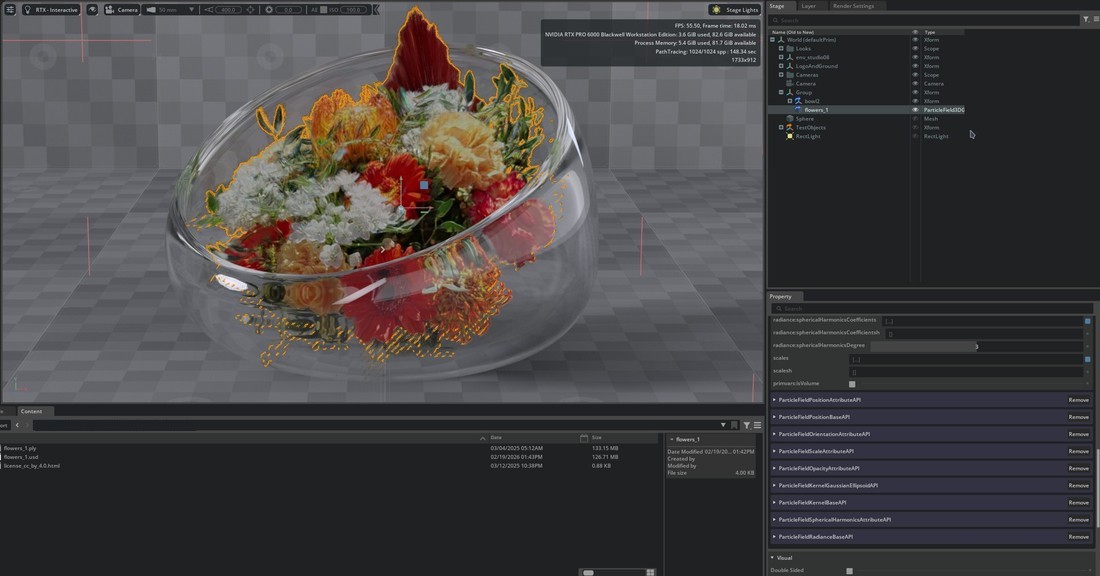
Bouquet of flowers 3D Gaussian Splat imported into Kit. Notice that the flowers are refracted correctly through the glass bowl and cast shadows on the floor.#
Particle Fields and Shadows#
Particle fields will receive shadows from other scene geometry. Note that since particle fields do not have a well-defined surface, depending on the training of the underlying particle field, the received shadows may look blurry or “blobby”.

Polygonal robot casting shadows from a manually placed light (upper-left) on the floor of a 3DGS scene. The blobby look to the shadows shows the shape of the underlying Gaussians.#
By default, particle fields will not cast shadows on other scene objects (or themselves). This is so that particle field environments do not add redundant self-shadows that incur a performance hit. If you want particle fields to cast shadows, simply enable the Casts Shadows checkbox.
Particle Fields and Color#
In the current release, all ParticleField prims are assumed to have their light fields in display-referred sRGB space. This means that the tonemapping pipeline is skipped for ParticleField prims and they are rendered to the camera “as-is”. This is done to ensure the result matches what is seen in other tools where color pipeline is completely ignored.
In a future version, RTX will respect any UsdColorSpaceAPI applied to the prims, allowing you to train Gaussians and other fields in other color spaces, such as linear Rec.709 or wide-gamut spaces.
Other Particle Field Formats#
To train and convert other particle field formats, such as 3DGUT, please refer to the 3DGRUT project: https://github.com/nv-tlabs/3dgrut