

Requirements#
Goal: Ensure you have a Kubernetes cluster, Helm, NGC access, and an image-pull secret so you can deploy the minimal Storage APIs stack.
You need a Kubernetes cluster you can deploy to, plus Helm. See Recommended Hardware for instance sizing from your cloud provider.
Minimum Application Versions#
Kubernetes — v1.31.0+
kubectl — v1.32.0+
Helm — v3.0.0+
NGC Access#
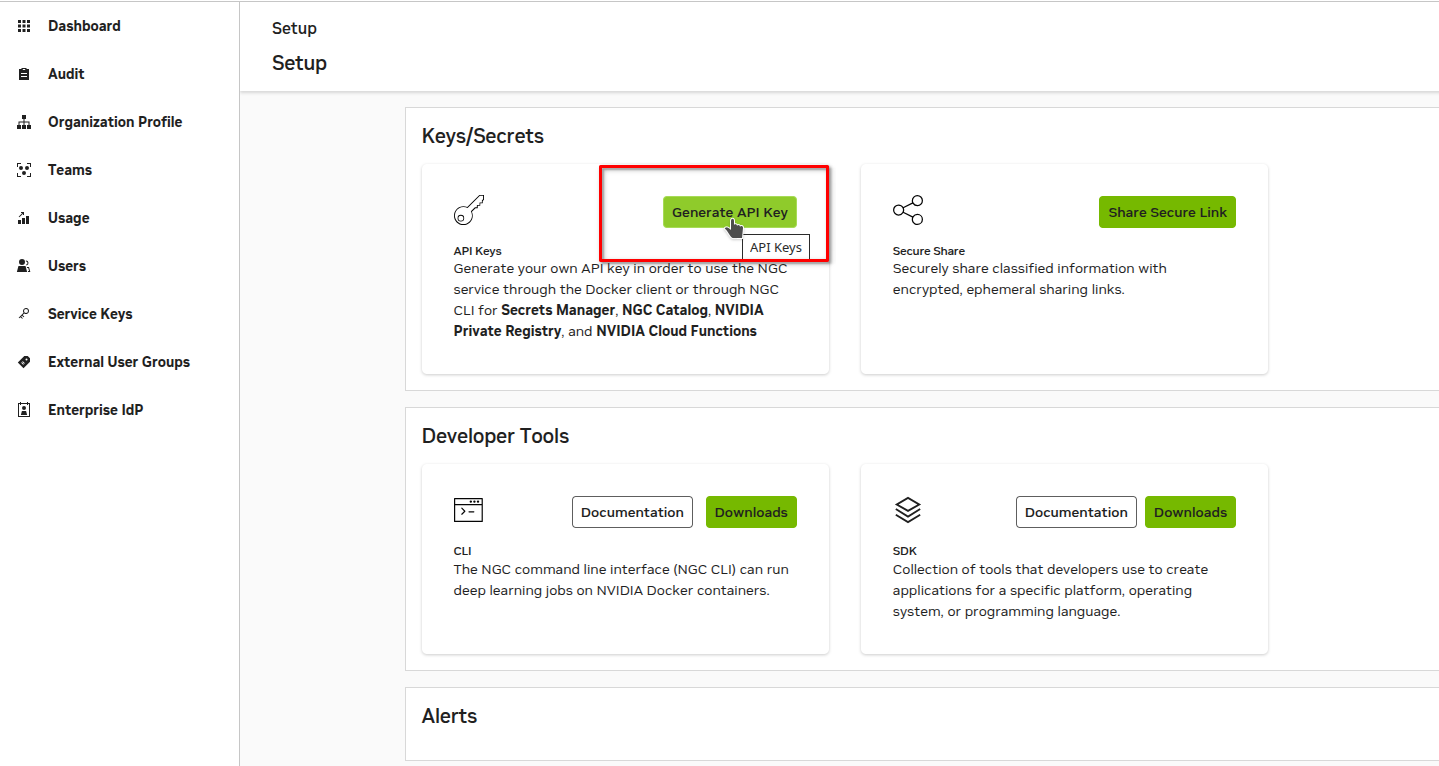
Create an NGC account and sign in to the NGC portal. Select your NGC org and generate an API key; you will use it to pull images and Helm charts from the NGC catalog.
Key Permissions#
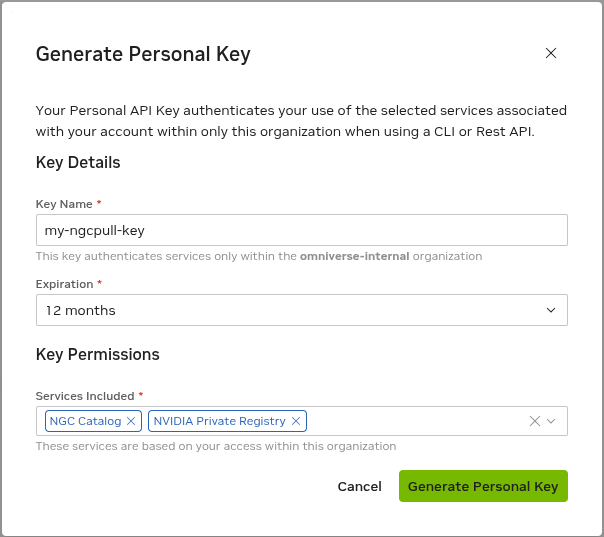
Grant your API key NGC Catalog and NVIDIA Private Registry permissions.
Setup Kubernetes Image Pull Secret#
Create a namespace for the deployment.
Note
The examples use storage-apis as the namespace. You can choose your own namespace name; just substitute it consistently in all commands throughout this guide.
kubectl create namespace storage-apis
Set NGC_API_KEY in the Bash session used for the deployment commands. Enter
your NGC API key at the prompt; the input is hidden. Repeat this step if you open
a new terminal.
read -r -s -p 'NGC API key: ' NGC_API_KEY
printf '\n'
export NGC_API_KEY
Create a Kubernetes image-pull secret in that namespace using the key.
kubectl create secret docker-registry ngcpull-secret \
--docker-server "nvcr.io" \
--docker-username '$oauthtoken' \
--docker-password "${NGC_API_KEY:?Set NGC_API_KEY in this Bash session}" \
-n storage-apis

# validate the secret was created
kubectl get secret ngcpull-secret -n storage-apis
What’s Next?#
Next: Configure and deploy the Storage Service, a core service required for the Storage APIs.
See also: Recommended hardware and Default service replica counts.
Recommended Hardware Specifications#
For these services, compute nodes are sufficient (no GPUs required).
CPU: 32 vCPU
Memory: 128 GiB
- Instance Examples:
AWS Recommended: m5.8xlarge (32 vCPU, 128GiB Memory).
Azure Recommended: Standard_D32as_v4 (32 vCPU, 128GiB Memory).
Default Service Replica Count#
Discovery Service: 1
Storage Service: 1
Notification Publishing Service: 1
Notification Consumer Service: 1