

Full Example Deployment#
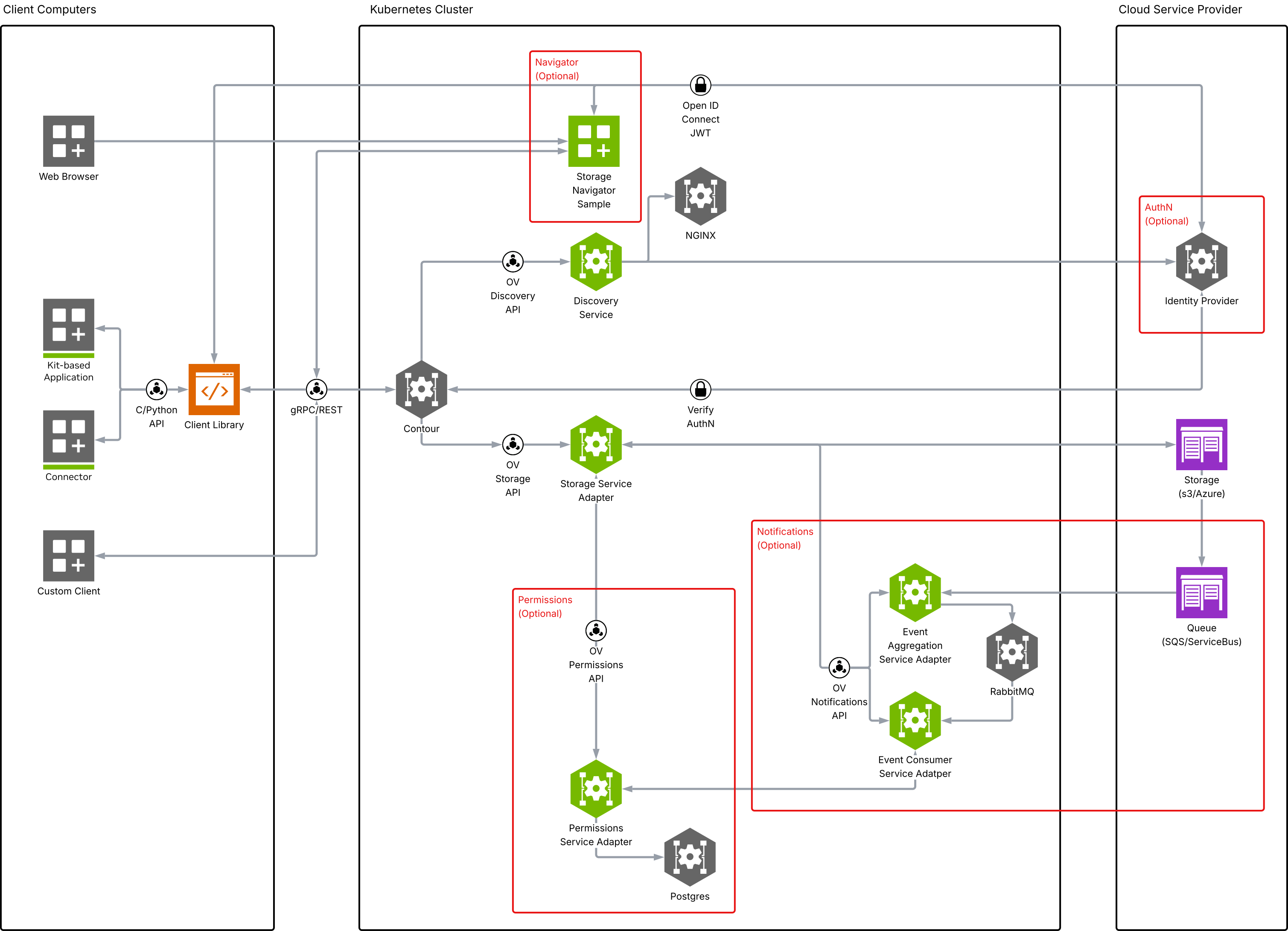
Goal: Deploy a full Omniverse Storage APIs stack so multiple users can connect via Kit or other clients. This deployment is designed to be used by multiple users simultaneously and that are external to the cluster.
Overview#
The full example deployment is a deployment that deploys the full stack of Storage service adapters, representing the feature set of Omniverse Enterprise Nucleus Server. This deployment will continue to expand as we release more services.
While this is a full deployment, it does not require all the services to be deployed at once, and they can expand over time as your needs grow. If you refer to the Local Deployment example, you will see that this deployment is a superset of the local deployment, but instead of using a local filesystem storage adapter, this one uses a S3/Azure storage adapter.
Note
There is no reason you cannot use the S3/Azure storage adapter for the local deployment if you choose to.
Note
Before starting this deployment, ensure you have provisioned at least one storage backend (AWS S3 bucket or Azure Blob Storage container) with the required IAM policies or RBAC roles. See Storage Service Configuration for the specific permissions needed.
Note
These steps are designed as a quick start to get the Omniverse Storage APIs deployed and running. You should always follow best network and security practices and company requirements for your production deployments.
We have made agent skills available for you to use on your development journey. You can find the agent skills in the Omniverse Agent Skills on NGC.
Note
The Notification Services (RabbitMQ, Event Aggregation, and Event Consumer) are an optional part of a full deployment; deploy and secure them via Notification Services below (which covers authentication and permissions). Event Aggregation and Event Consumer operations guides, including dead-letter recovery, are available under Services > Notification Service.
Live Edit is an optional service for collaborative scene-layer editing. Follow Live Edit Service Configuration after preparing Storage access and a durable Valkey backing store.