


SimReady Assets for DSX Digital Twins#
The SimReady Asset Journey#
End-to-end SimReady asset journey for two AI Factory equipment assets: the NVIDIA DGX GB300 NVL72 rack and the Vertiv XDU2300 coolant distribution unit.
Creating a SimReady asset is a multi-stage process that transforms vendor CAD source models into optimized, validated OpenUSD assets enriched with simulation metadata and connection points.
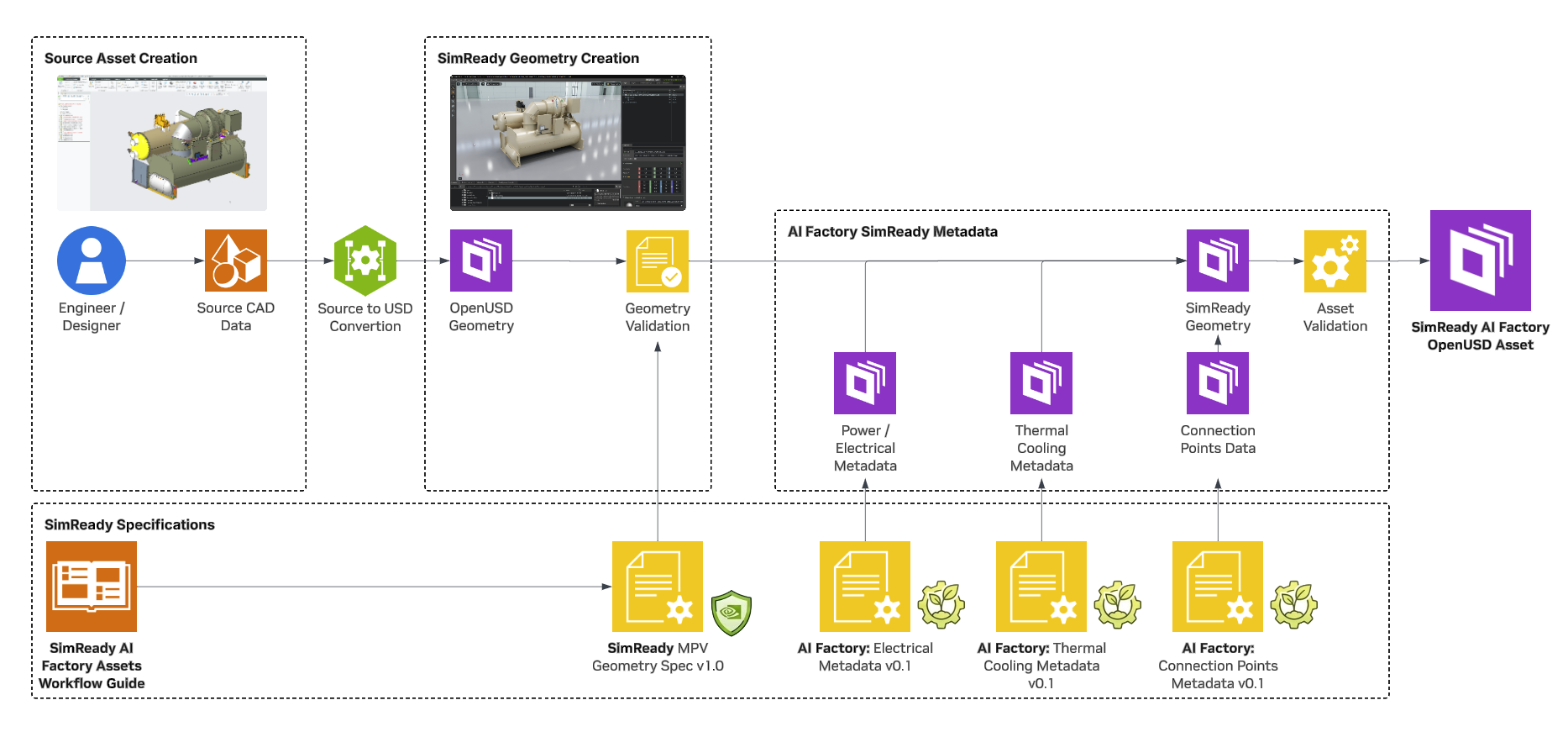
The journey has two parallel tracks: geometry creation transforms the visual asset, while SimReady metadata enriches it with the semantic data simulations need. Both tracks converge into a final validated SimReady OpenUSD asset.
Stage 1: Source Asset Creation#
Every asset begins as source data from various origins such as CAD tools, 3D modeling software, or 3D scanning. The GB300 rack and Vertiv XDU2300 were provided as Creo CAD assemblies containing full mechanical detail — internal and external structure, piping, electrical components, and mounting hardware.
Key considerations at this stage:
Units — Source files encode their authoring units (millimeters for these assets). These are normalized to meters during scene optimization.
Pivot and origin — The asset origin should be at the mounting/floor point. Misalignment is easiest to correct in the source CAD.
Visible geometry — Only geometry needed for the digital twin should be flagged for export.
Stage 2: CAD to USD Conversion#
Source CAD files are converted to OpenUSD format. The conversion preserves hierarchy, materials, and geometry while translating CAD-specific representations into USD-native mesh data.
Both the GB300 and Vertiv XDU2300 assets were converted through the CLI pipeline with Creo-specific spec files that control import settings such as instancing, UV generation, up-axis, and unit handling.
Stage 3: Geometry Validation and Optimization#
After conversion to USD, assets go through iterative cycles of validation and optimization.
Validation uses the NVIDIA Asset Validator with AIF-specific rules to check for topology issues, missing normals, winding order, and structural compliance. Issues found here inform the optimization preset development.
Optimization uses the Scene Optimizer with vendor-specific presets that:
Normalize stage metrics to meters and Z-up orientation
Remove duplicate and coinciding meshes
Decimate mesh density to appropriate levels
Fix normals, topology, and material bindings
Deduplicate geometry and hierarchy
Split internal/external geometry into separate payloads (enabling selective loading)
Remove degenerate geometry and compute extents
Each asset has a dedicated optimization preset that encodes asset-specific processing decisions.
Stage 4: SimReady Metadata#
Metadata provides the semantic layer that transforms a visual asset into a simulation-ready one. Properties are authored as separate USD layers and composed non-destructively onto the main geometry using sublayer composition.
All properties use a two-level namespace:
aif:core:— Common properties shared by all equipment: manufacturer, model number, dimensions, weight, asset version, and tool versions.aif:spec:— Equipment-specific properties that vary by asset class.
GB300 Rack#
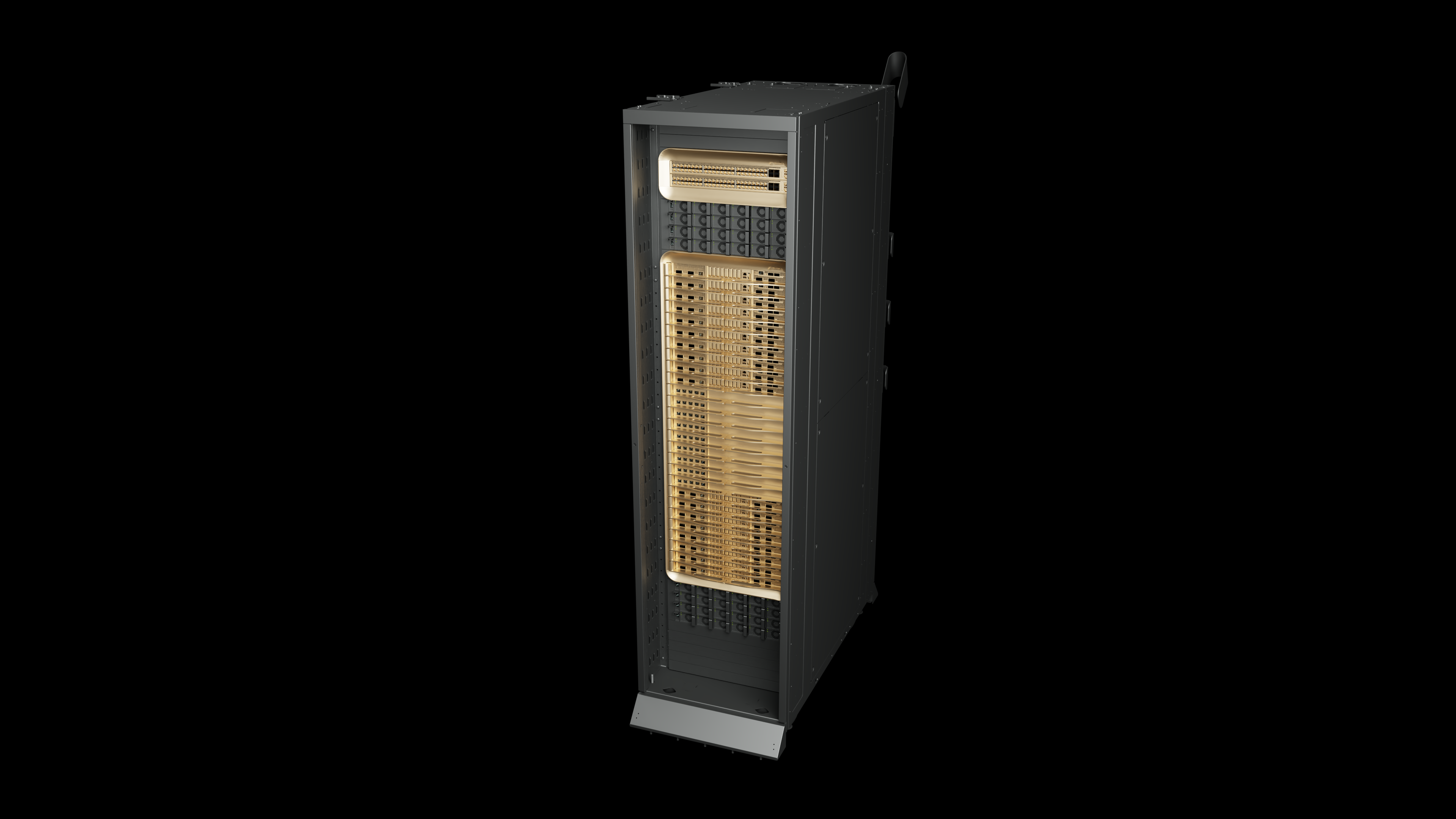
NVIDIA DGX GB300 NVL72 rack SimReady asset.#
The GB300 rack uses the gb300_rack metadata type with 27 properties (20 common + 7 specific), including:
Property |
Value |
|---|---|
Name Plate Power |
136,000 W |
Max DC Power (EDPP2) |
240 kW |
Liquid Cooling |
116 kW |
Air Cooling |
19.3 kW |
Number of GPUs |
72 |
Vertiv XDU2300#
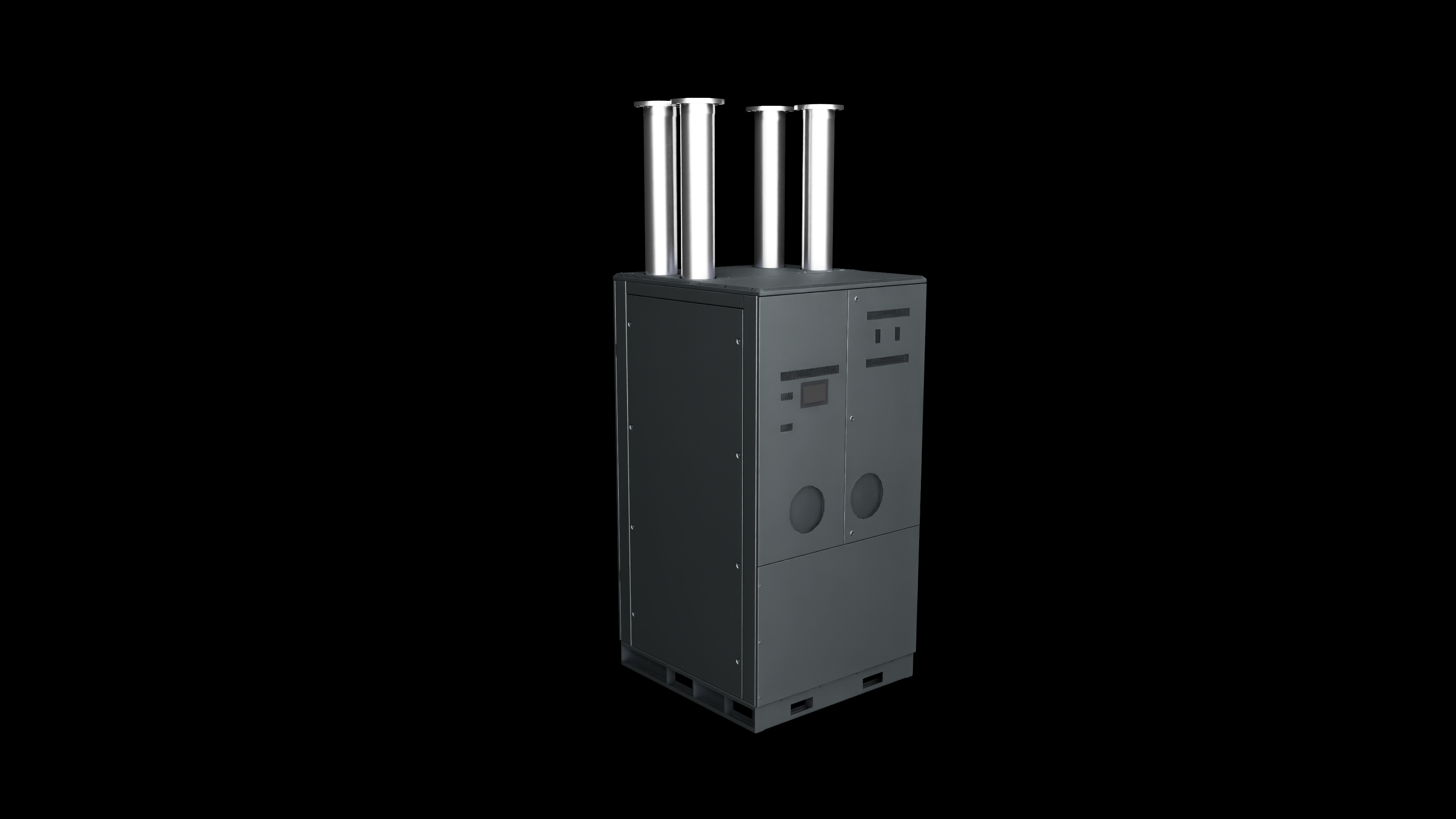
Vertiv XDU2300 coolant distribution unit SimReady asset.#
The Vertiv XDU2300 uses the cdu metadata type with 81 properties (20 common + 61 specific), covering cooling capacity curves, pump flow characteristics, piping connections, and electrical ratings.
Stage 5: Connection Points#
Connection points are geometry prims (planes or disks) placed at equipment openings where the asset interfaces with facility infrastructure — thermal cooling pipes, electrical power, and airflow ducts. These prims are set to guide purpose, making them invisible during rendering but available for simulation runtimes.
GB300 Rack#
Connection points for liquid cooling supply/return, electrical power, and airflow intake/outflow vents (front and rear).
Vertiv XDU2300#
Connection points for FWS (facility water system) supply/return, TCS (technology cooling system) supply/return, and electrical connections — following naming conventions such as vertiv_fws_supply_piping_connection_main and vertiv_tcs_return_piping_connection_main.
Stage 6: Asset Validation and Delivery#
The final composed asset — geometry, metadata, and connection points — undergoes a last validation pass to confirm end-to-end compliance. The delivered asset follows a standard structure:
<model_name>/
├── <model_name>.usd                          # Main asset interface file
├── layers/
│   ├── <model_name>_Properties.usda          # AIF metadata
│   └── <model_name>_ConnectionPoints.usd     # Connection point definitions
├── payloads/
│   ├── internal.usd                           # Internal geometry payload
│   └── external.usd                           # External geometry payload
└── data/
    └── <model_name>.json                      # Scene Optimizer preset
This structure supports selective payload loading, non-destructive metadata updates, and version tracking through aif:core: properties. Load only external geometry for visualization, or include internals for detailed simulation.
Learn More#
Download the DSX Content Pack for pre-built SimReady assets used in the DSX Blueprint.
The AI Factory Digital Twin Pipeline Samples repository contains workflow samples, documentation, and a reference asset:
SimReady Asset Journey – Detailed journey overview
What is SimReady? – SimReady specification overview
CAD to USD Workflow – Step-by-step conversion guide
Metadata Specs – Property definitions per asset class
Workflow Checklist – End-to-end delivery checklist