Action Graph
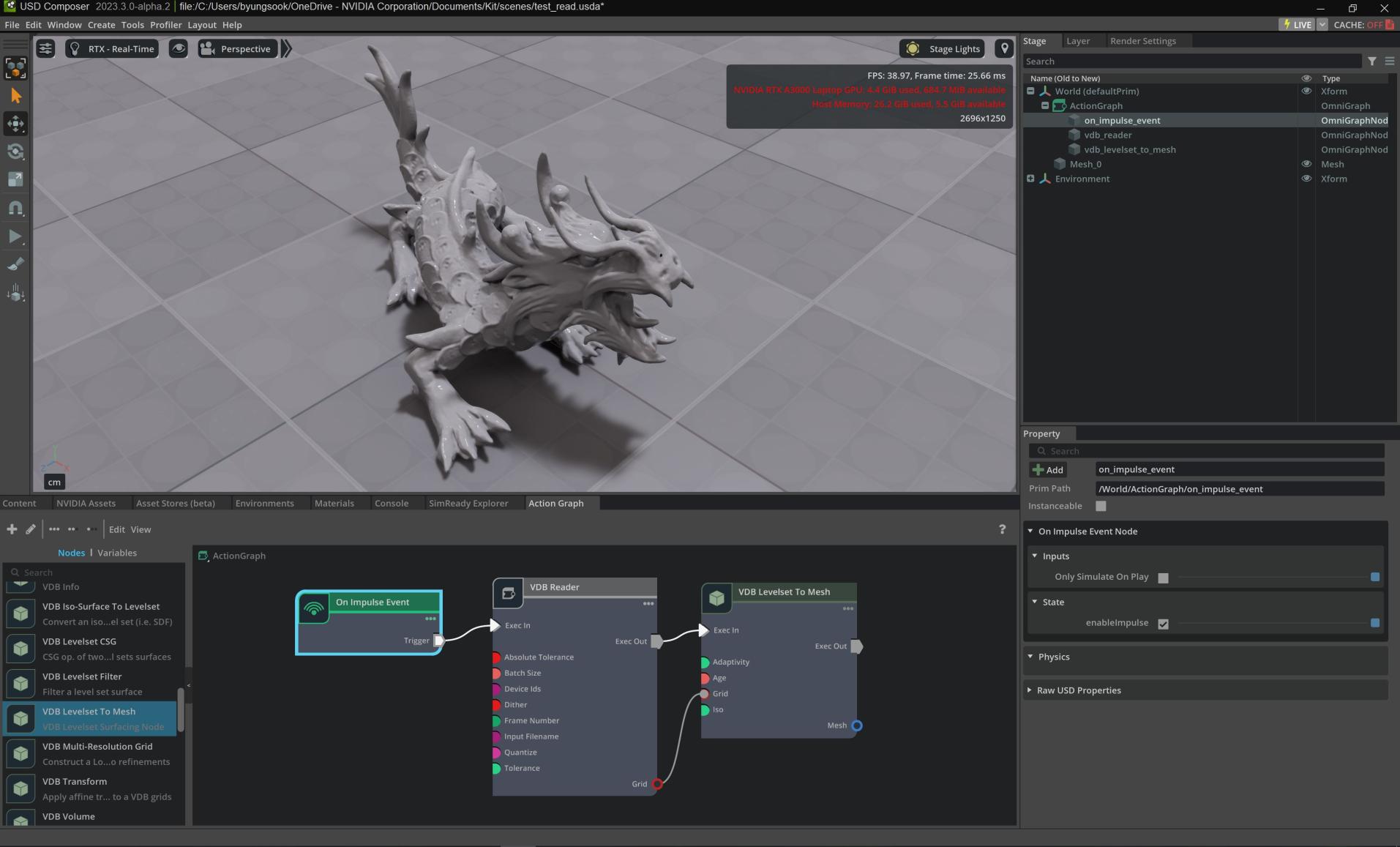
In this tutorial, you use OmniGraph in Omniverse USD Composer to create a mesh by loading a level set field from a VDB file.
Load the OmniGraph Extensions
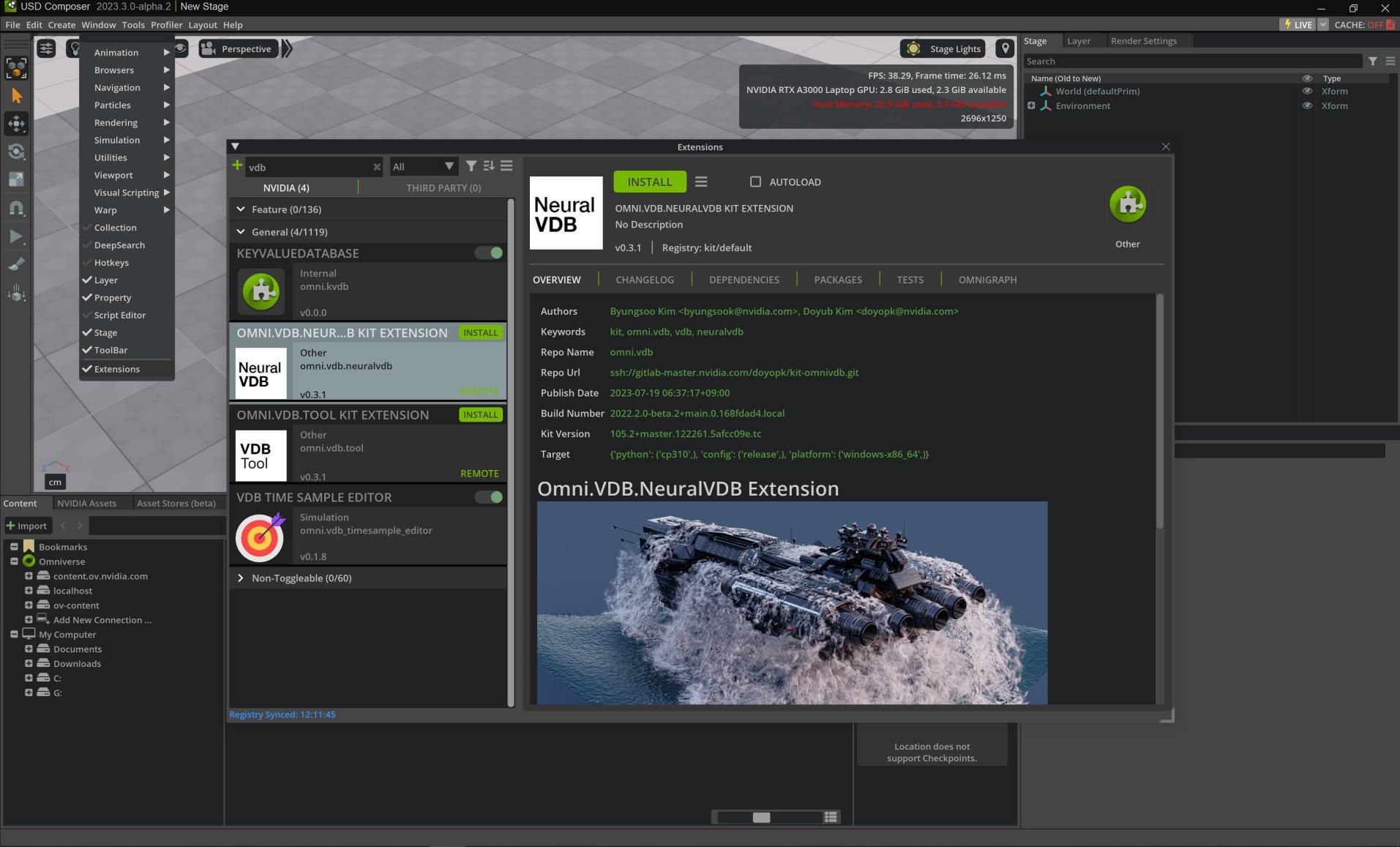
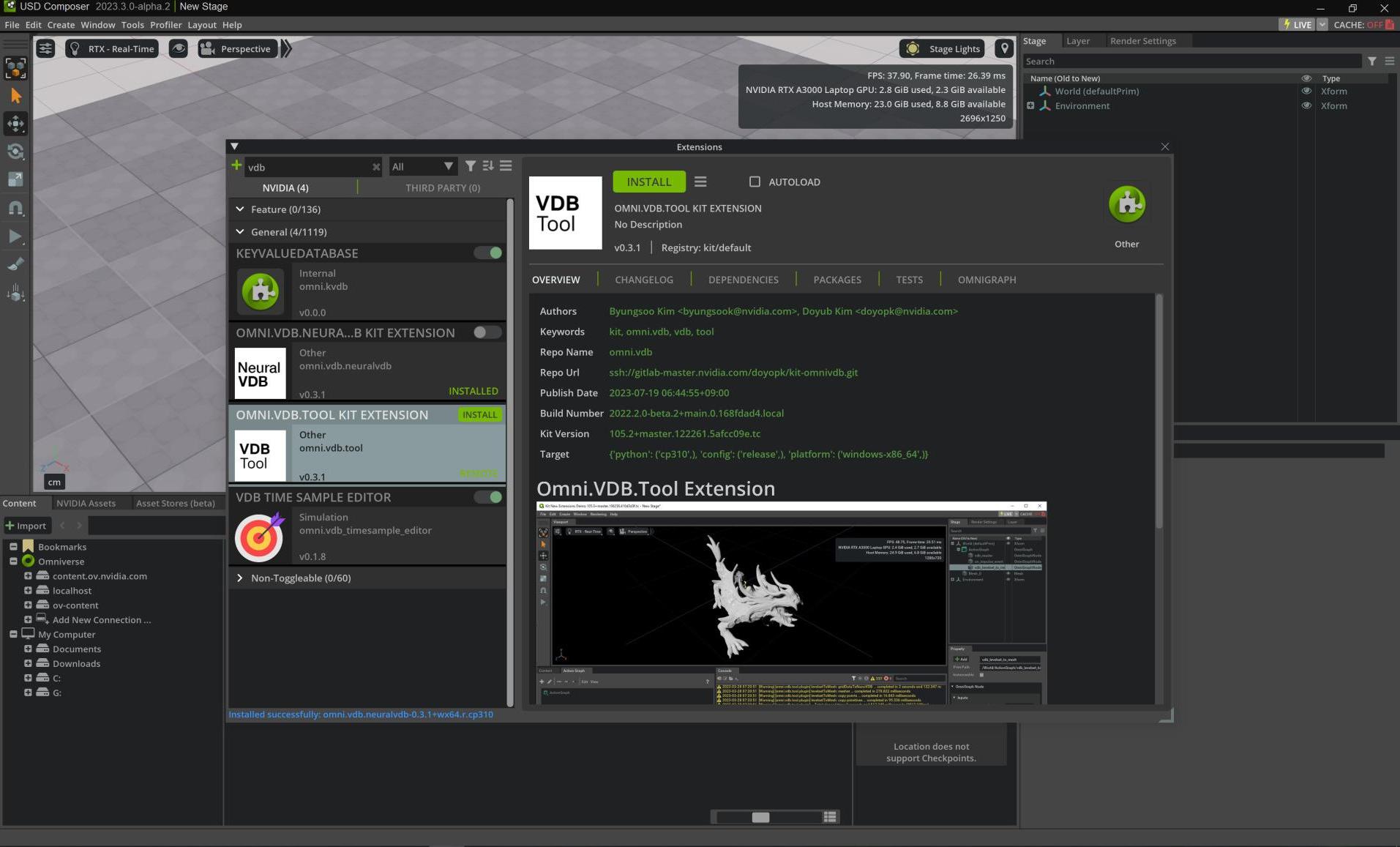
First, load the omni.vdb.neuralvdb and omni.vdb.tool extensions. You need to click install and enable to use them:
Create a New Action Graph
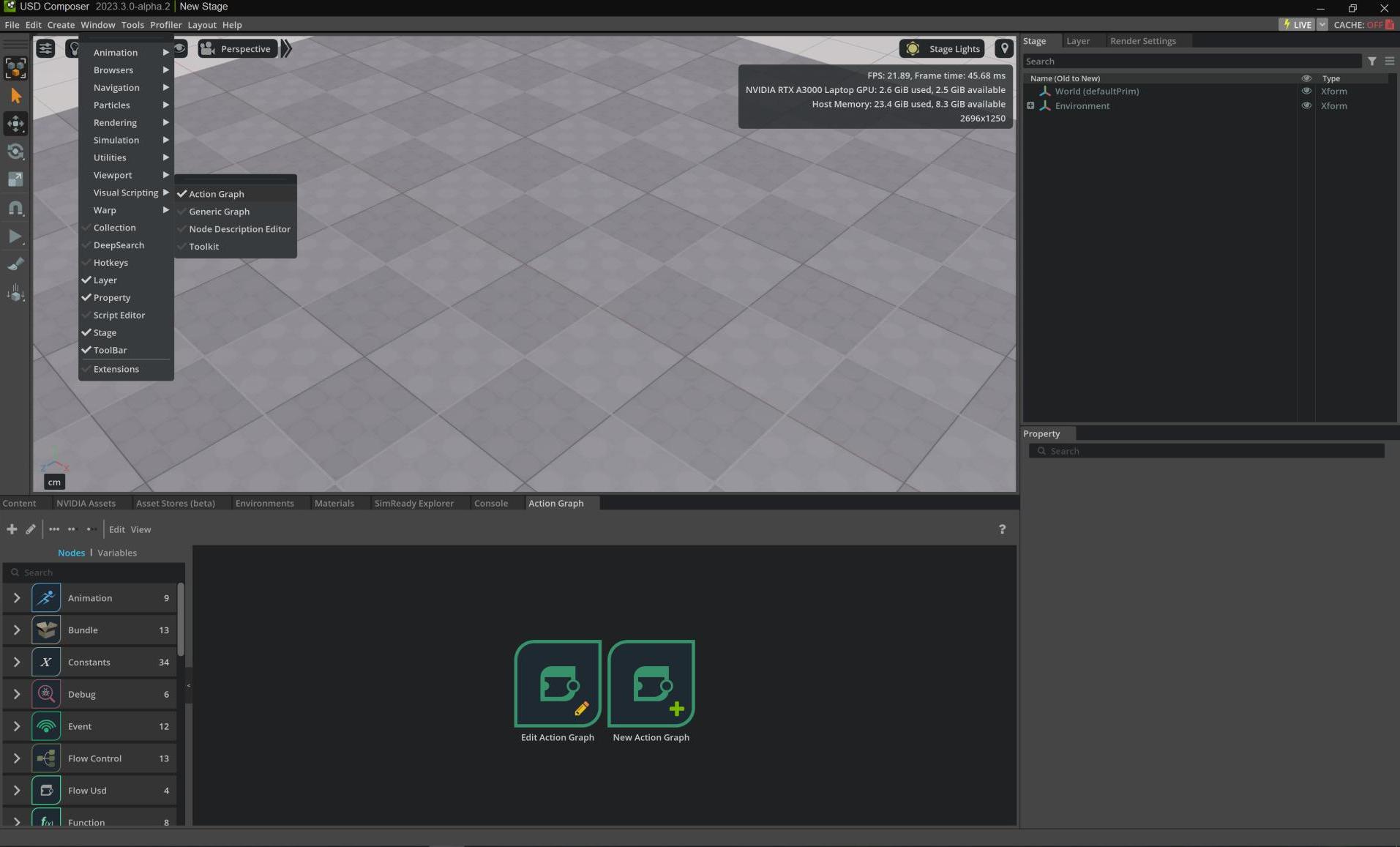
Create a new Action Graph (Window -> Visual Scripting -> Action Graph -> New Action Graph), so you can trigger action in response to a particular event:
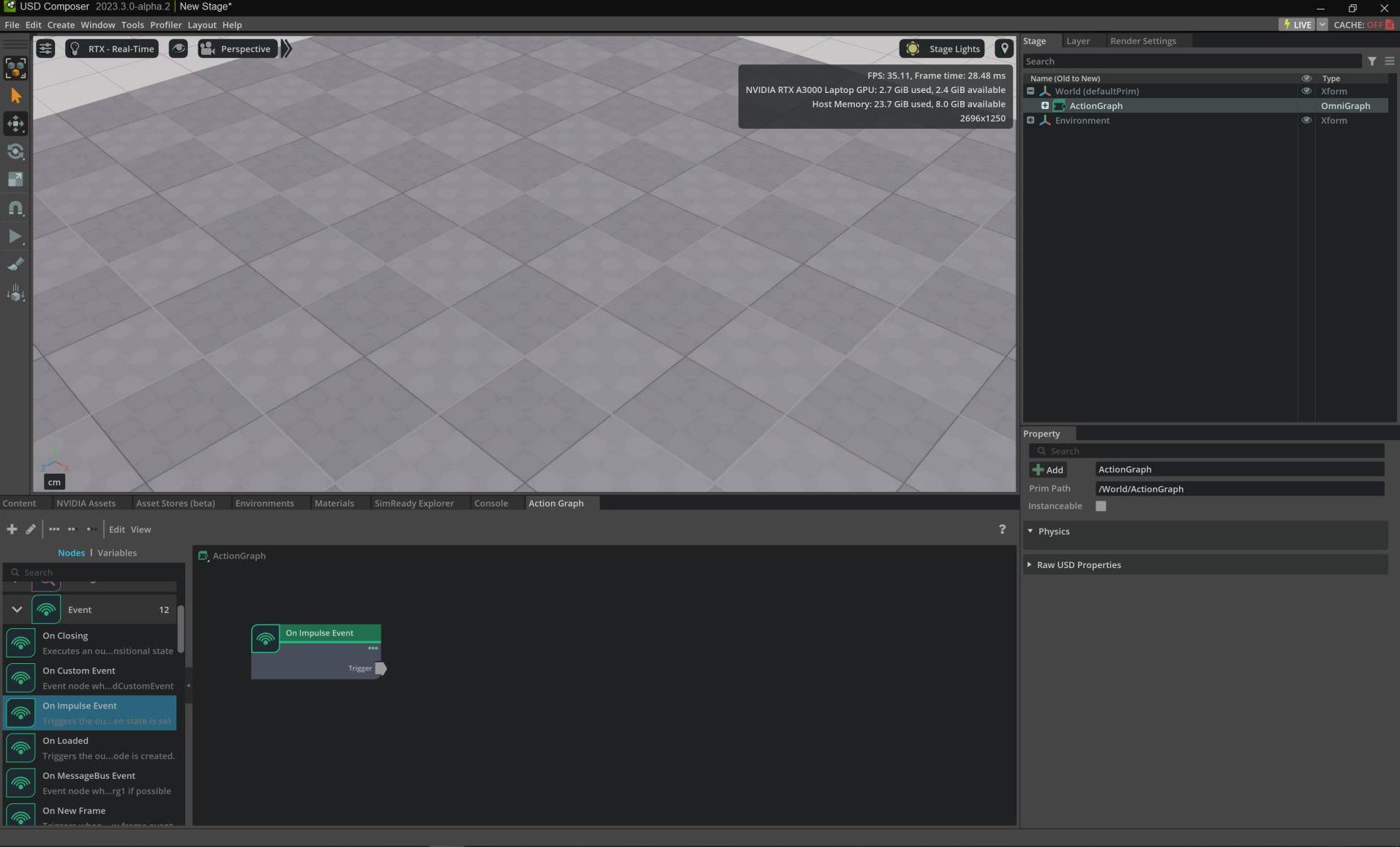
Search for the On Impulse Event node, drag it into the editor to trigger an impulse event later:
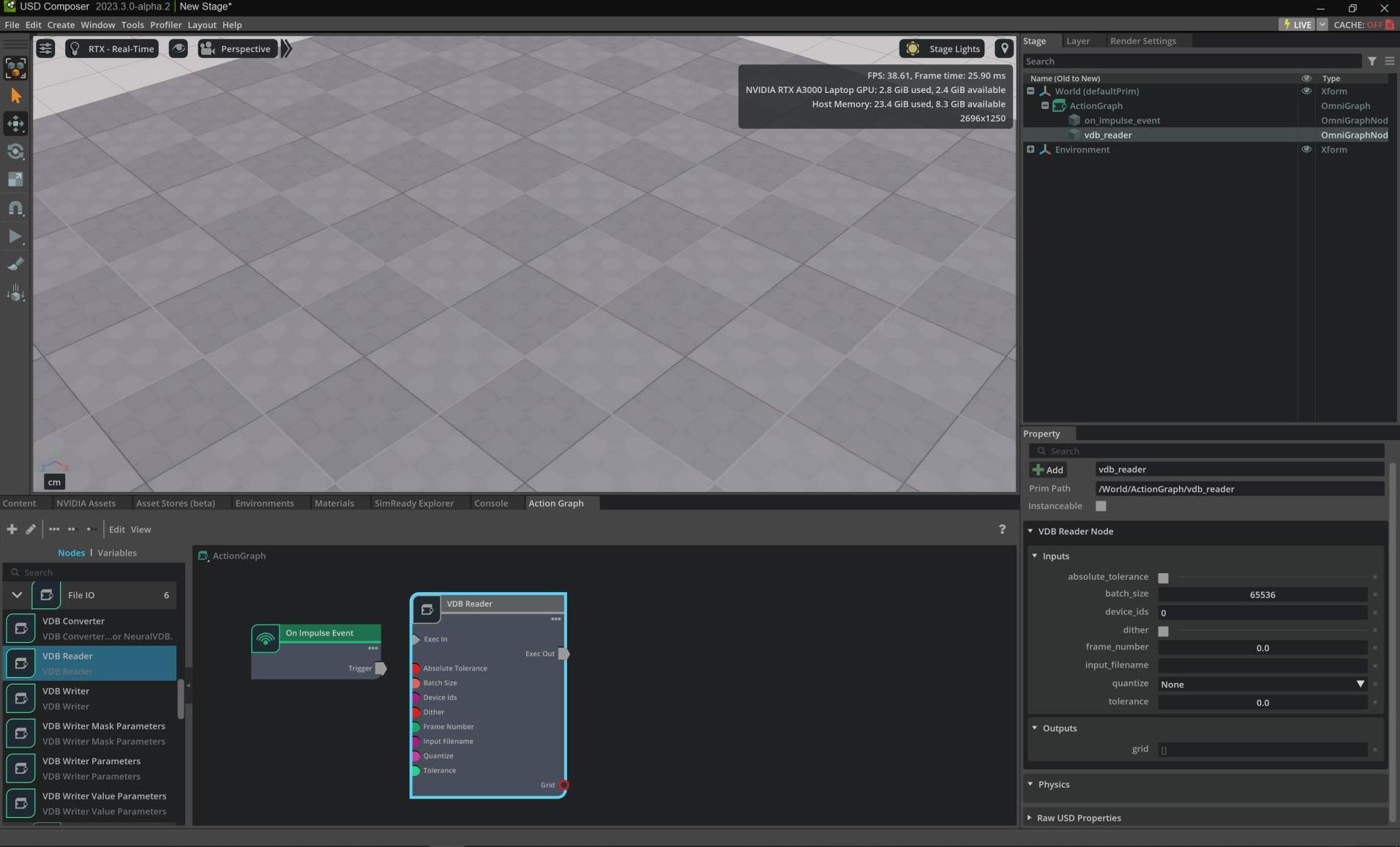
Search for the VDB Reader node, drag it into the editor to load a VDB file:
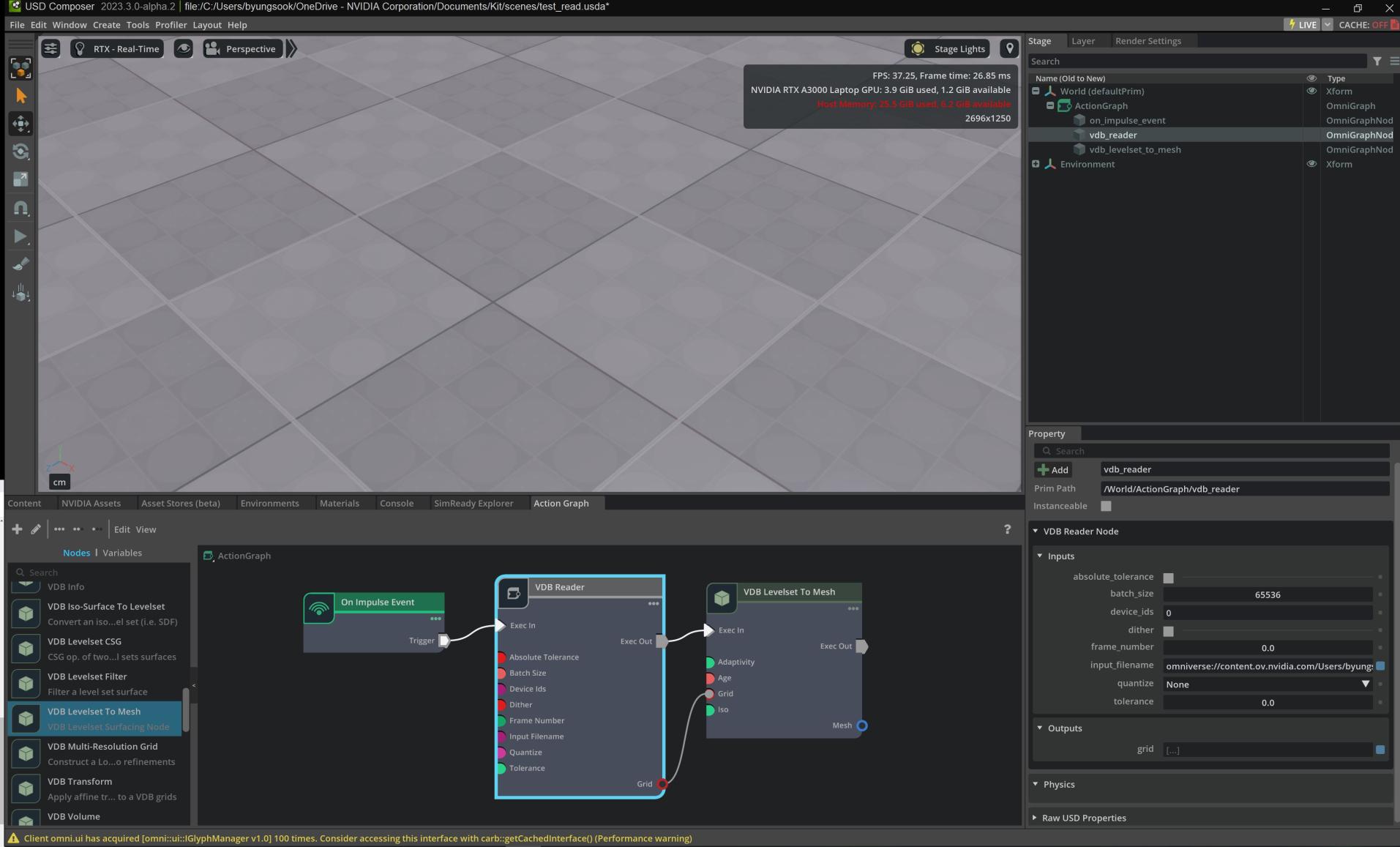
Search for the VDB Levelset to Mesh node, drag it into the editor to create a mesh from an input levelset grid.
Then, connect Trigger of On Impulse Event node to Exec In of VDB Reader, Exec Out of VDB Reader to Exec In of VDB Levelset to Mesh and Grid of VDB Reader to Grid of VDB Levelset to Mesh
Lastly, write omniverse://content.ov.nvidia.com/Users/byungsook@nvidia.com/dragon.mvdb to input_filename of VDB Reader:
Select On Impulse Event node, unbox Only Simulate On Play in Property editor and click enableImpulse. Finally you will see a mesh created from the input levelset grid: