


Authorization for a service principal#
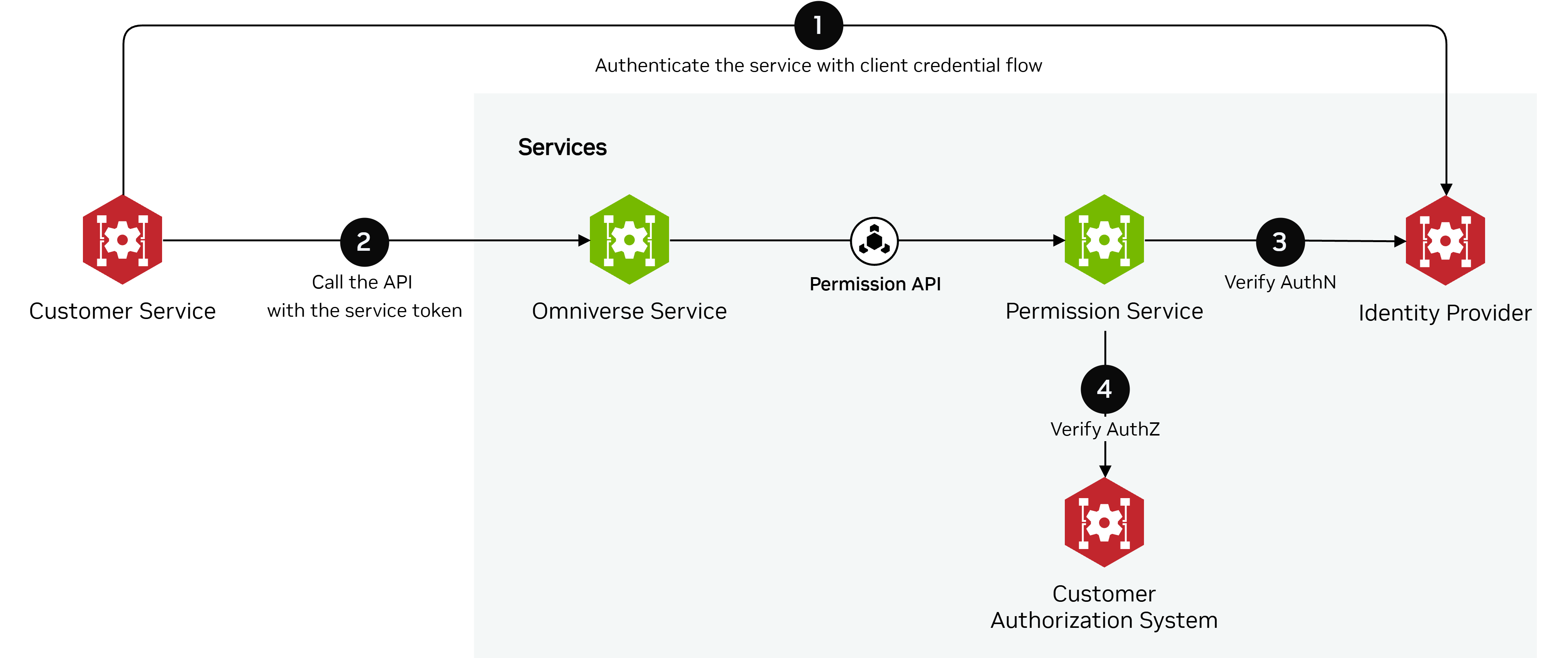
Requests made from one service to another (e.g., from the Customer Service to the Omniverse Service, or from one Omniverse Service to another Omniverse Service) should integrate service credential authentication. Service callers typically authenticate with an access token from the Identity Provider, often obtained through the Client Credentials Flow. An implementation MAY use other service authentication mechanisms (for example API keys) or omit service authentication when appropriate.
When a service needs to call another service, the caller must pass an access token received from the Identity Provider within the request. The callee (Omniverse Service) must call the Permission Service to verify the caller identity and check if the caller service is authorized to perform an action. The Permission Service retrieves public keys from the Identity Provider and validates the service token. If the token is valid, the Permission Service uses the underlying authorization system to verify that the service can perform the specified action in the system.
The sequence diagram below demonstrates how the Customer Service can use Client Credentials Flow to authenticate the service and call an Omniverse Service:
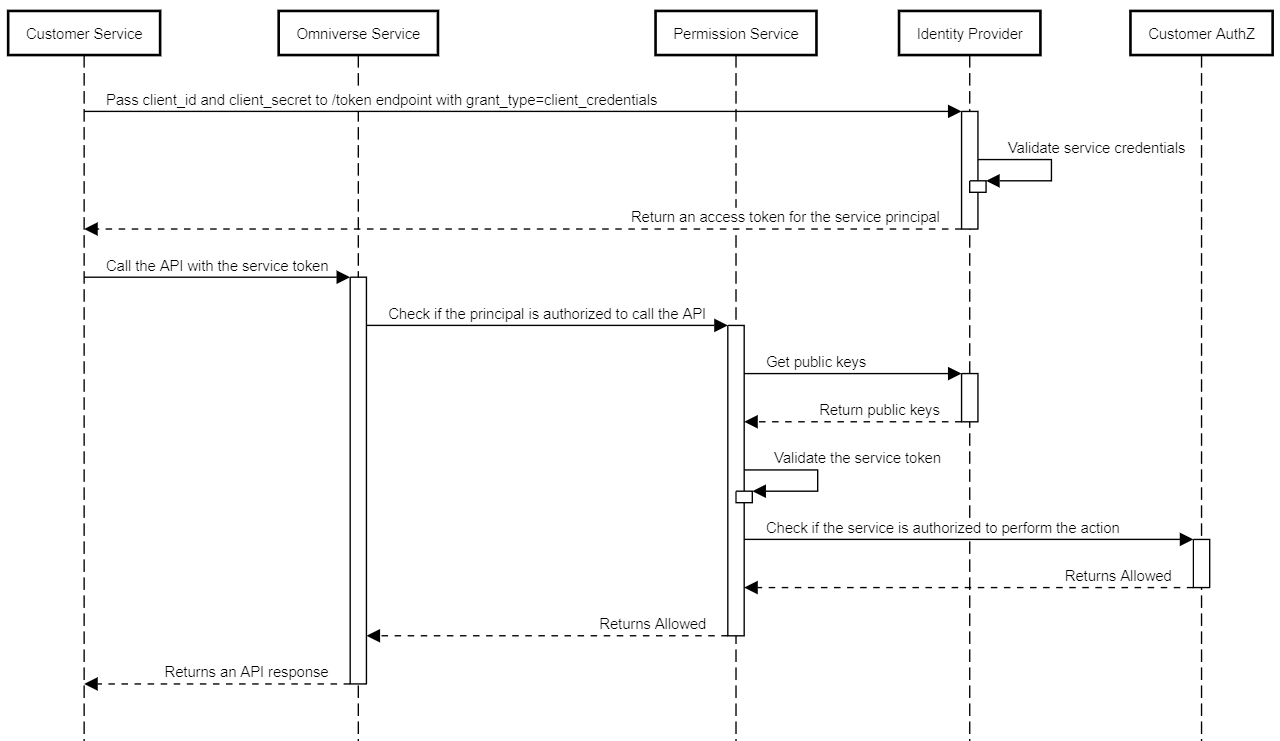
To use the Client Credentials Flow, the caller service (Customer Service) must be registered in the Identity Provider. The Identity Provider registers a client ID and client secret for the caller service. The caller exchanges them at the token endpoint using the client credentials grant (RFC 6749); client authentication MAY use HTTP Basic authentication (RFC 7617).
The example of the /token endpoint request:
POST /token HTTP/1.1
Authorization: Basic QWxhZGRpbjpvcGVuIHNlc2FtZQ==
Content-Type: application/x-www-form-urlencoded

grant_type=client_credentials
Response:
HTTP/1.1 200 OK
Content-Type: application/json

{
"token_type": "Bearer",
"expires_in": 3599,
"access_token": "eyJ0eXAiOiJKV1QiLCJhbGciOiJSUzI1NiIsIng1dCI6Ik1uQ19WWmNBVGZNNXBP..."
}