

Example Kit Extension: What’s in Fabric?#
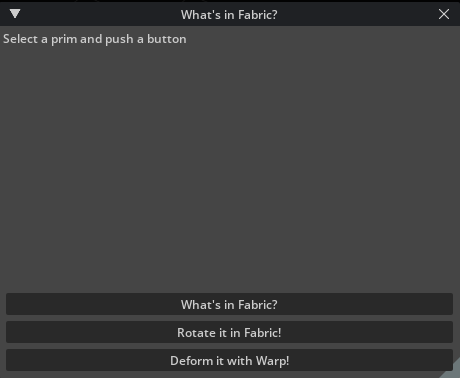
About#
The Kit Extension Template Cpp public github repository has 2 example extensions that can be installed named omni.example.cpp.usdrt and omni.example.python.usdrt. These are small Python & C++ extensions that demonstrate a few concepts of working with the USDRT Scenegraph API:
Inspecting Fabric data using the USDRT Scenegraph API
Manipulating prim transforms in Fabric using the RtXformable schema
Deforming Mesh geometry (In the python case: on the GPU with USDRT and Warp)
Enabling the extension#
You can find the extensions in the Kit Extension Template Cpp repository on github.
To enable in kit, clone and build the Kit Extension Template Cpp repository.
In Kit, select Window -> Extensions -> Settings add a new search path to you build: kit-extension-template-cpp/_build/windows-x86_64/release/exts
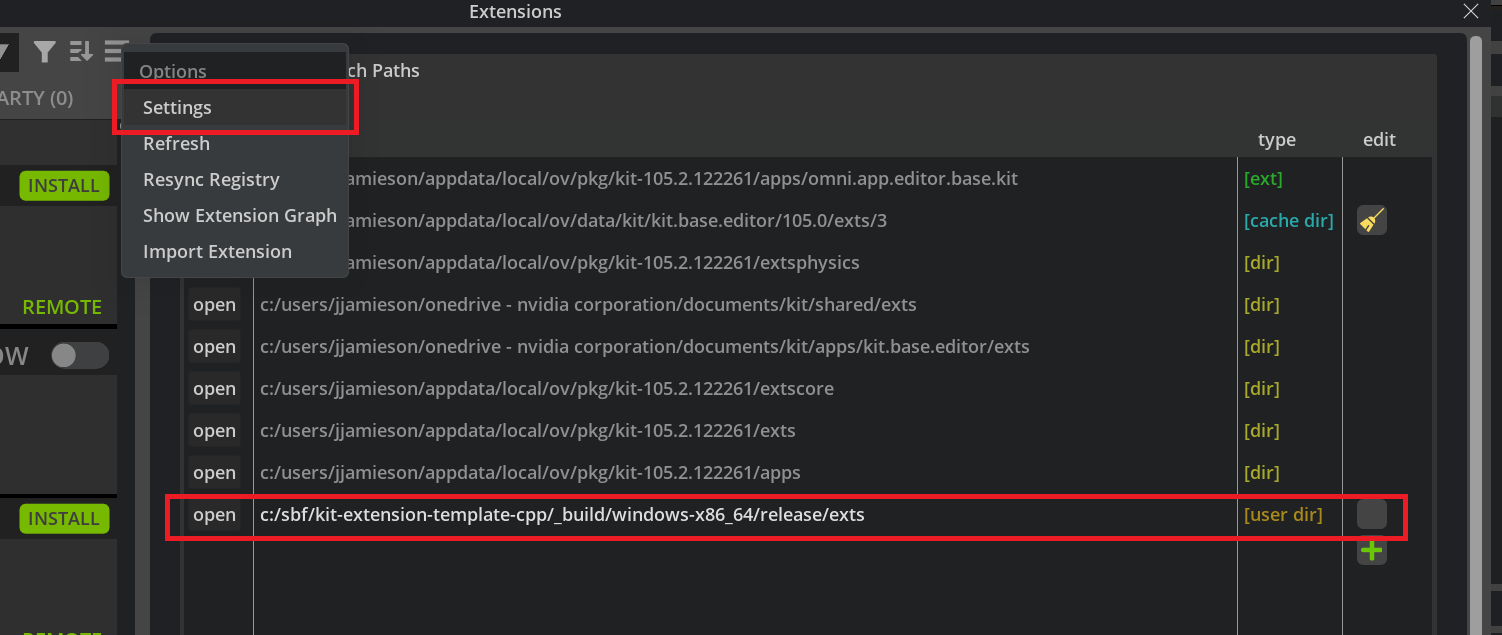
Refrsh the extension registry, and you will find the examples under the Third Party tab.
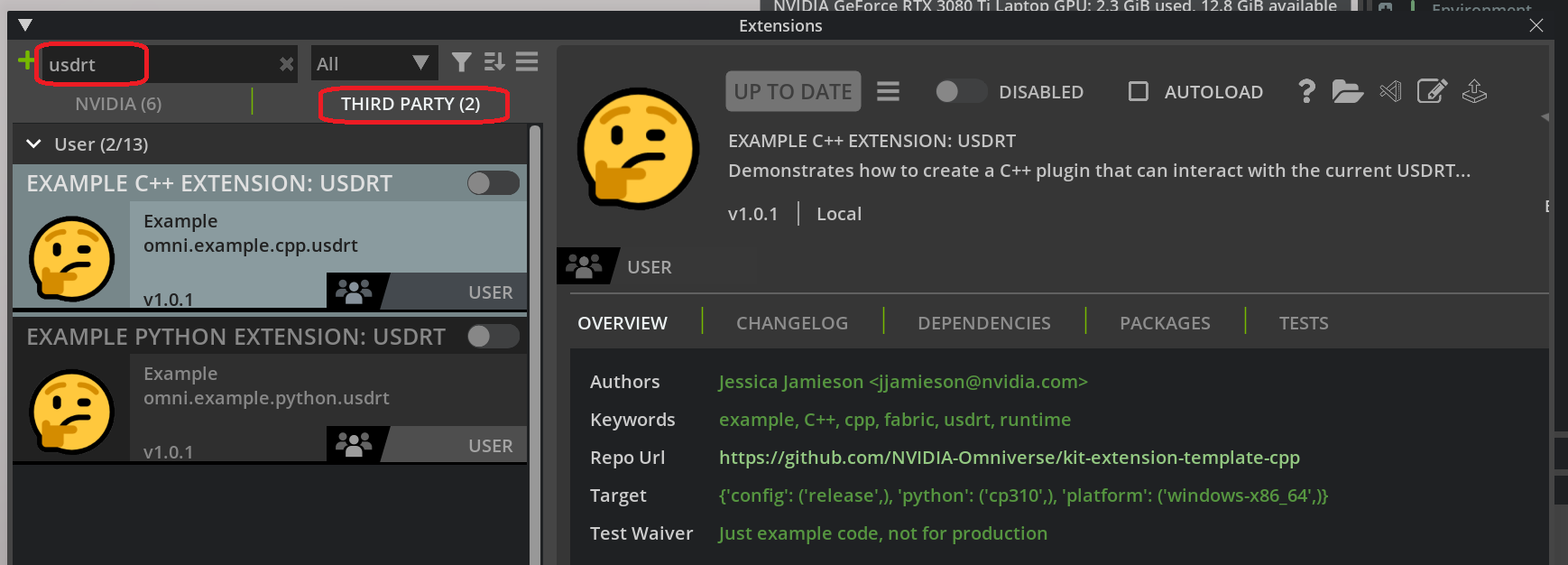
The extension will launch as a free-floating window, which can be docked anywhere you find convenient (or not at all).
Inspecting Fabric data#
You can inspect data in Fabric by selecting any prim in the viewport or stage window, and then clicking the button labeled “What’s in Fabric?”.
Note that in the current implementation of the USDRT Scenegraph API, any creation
of a usdrt UsdPrim (ex: stage.GetPrimAtPath()) will populate data for
that prim into Fabric if has not yet been populated.
If you create a Torus Mesh in an empty scene…
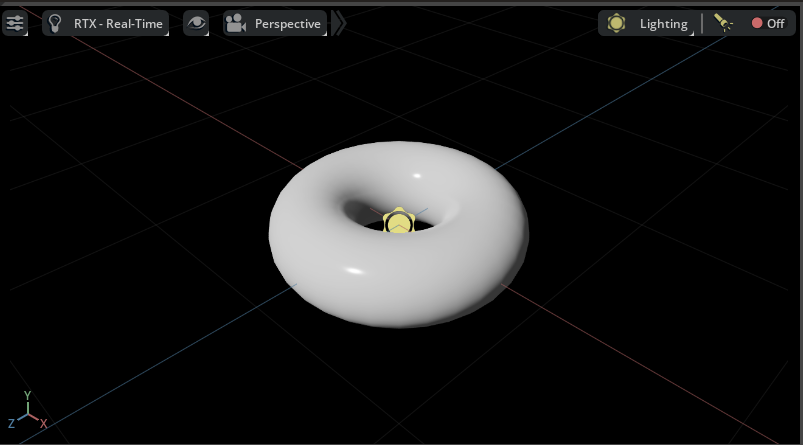
and click “What’s in Fabric?”, you should see something like this in the UI:
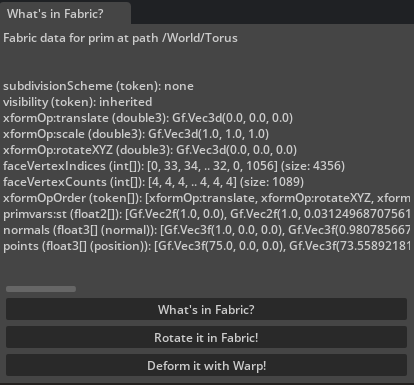
The code to get all of the prim attribute values from Fabric
is straightforward and familiar to those with USD experience.
The get_fabric_data_for_prim function does all the work
using the USDRT Scenegraph API.
Python#
For python, we also have is_vtarray and
condensed_vtarray_str to encapsulate some
work around discovering VtArray instances and generating a
printed representation for them.
from usdrt import Sdf, Usd

def get_fabric_data_for_prim(stage_id, path):
    """Get the Fabric data for a path as a string."""
    if path is None:
        return "Nothing selected"

    stage = Usd.Stage.Attach(stage_id)

    # If a prim does not already exist in Fabric,
    # it will be fetched from USD by simply creating the
    # Usd.Prim object. At this time, only the attributes that have
    # authored opinions will be fetched into Fabric.
    prim = stage.GetPrimAtPath(Sdf.Path(path))
    if not prim:
        return f"Prim at path {path} is not in Fabric"

    # This diverges a bit from USD - only attributes
    # that exist in Fabric are returned by this API.
    attrs = prim.GetAttributes()

    result = f"Fabric data for prim at path {path}\n\n\n"
    for attr in attrs:
        try:
            data = attr.Get()
            datastr = str(data)
            if data is None:
                datastr = "<no value>"
            elif is_vtarray(data):
                datastr = condensed_vtarray_str(data)
        except TypeError:
            # Some data types are not yet supported in Python.
            datastr = "<no Python conversion>"

        result += "{} ({}): {}\n".format(attr.GetName(), str(attr.GetTypeName().GetAsToken()), datastr)

    return result

def is_vtarray(obj):
    """Check if this is a VtArray type.

    In Python, each data type gets its own VtArray class,
    such as Vt.Float3Array. This helper identifies any of them.
    """
    return hasattr(obj, "IsFabricData")

def condensed_vtarray_str(data):
    """Return a compact string representing VtArray data."""
    size = len(data)
    if size == 0:
        datastr = "[]"
    elif size == 1:
        datastr = "[{}]".format(data[0])
    elif size > 6:
        datastr = "[{}, {}, {}, .. {}, {}, {}] (size: {})".format(
            data[0], data[1], data[2], data[-3], data[-2], data[-1], size
        )
    else:
        datastr = "["
        for i in range(size - 1):
            datastr += str(data[i]) + ", "
        datastr += str(data[-1]) + "]"

    return datastr
The stage ID for the active stage in Kit can be retrieved using
omni.usd.get_context().get_stage_id() - this is the ID of the
USD stage in the global UsdUtilsStageCache, where Kit automatically
adds all loaded stages.
C++#
In the C++ example, the entry point for the extension is python,
and use of the USDRT Scenegraph API is behind an
example C++ interface IExampleUsdrtInterface. The interface provides
access to similar functions as in the python example. The code to get
all of the prim attribute values from Fabric is in
ExampleUsdrtExtension::get_attributes_for_prim.
inline std::string ExampleCppUsdrtExtension::get_attributes_for_prim(
    long int stageId, usdrt::SdfPath* path, std::vector<usdrt::UsdAttribute>* data)
{
    if (!path || path->IsEmpty())
    {
        return "Nothing selected";
    }

    if (data == nullptr)
    {
        return "Invalid data";
    }

    usdrt::UsdStageRefPtr stage = usdrt::UsdStage::Attach(omni::fabric::UsdStageId(stageId));

    // If a prim does not already exist in Fabric,
    // it will be fetched from USD by simply creating the
    // Usd.Prim object. At this time, only the attributes that have
    // authored opinions will be fetched into Fabric.
    usdrt::UsdPrim prim = stage->GetPrimAtPath(*path);
    if (!prim)
    {
        return "Prim at path " + path->GetString() + " is not in Fabric";
    }

    // This diverges a bit from USD - only attributes
    // that exist in Fabric are returned by this API.
    std::vector<usdrt::UsdAttribute> attrs = prim.GetAttributes();
    *data = attrs;

    return "";
}
Applying OmniHydra transforms using Rt.Xformable#
The OmniHydra scene delegate that ships with Omniverse
includes a fast path for prim transform manipulation with Fabric.
The USDRT Scenegraph API provides the Rt.Xformable schema
to facilitate those transform manipulations in Fabric. You can
learn more about this in Working with OmniHydra Transforms
In this example, the Rotate it in Fabric! button will
use the Rt.Xformable schema to apply a random world-space
orientation to the selected prim. You can push the button
multiple times to make the prim dance in place!
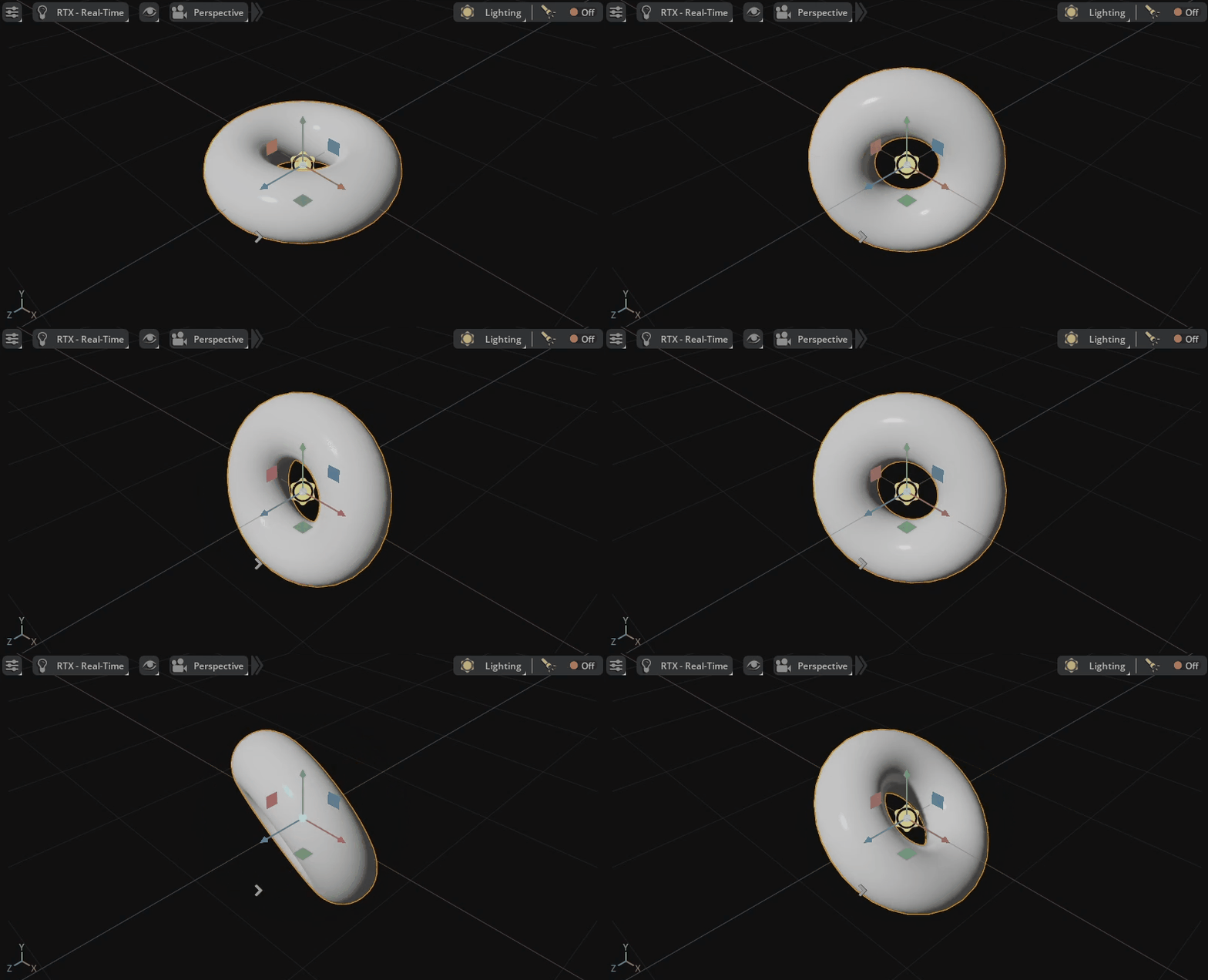
The code to apply the OmniHydra transform in Fabric is simple enough:
Python#
import math
import random

from usdrt import Gf, Rt, Sdf, Usd

def apply_random_rotation(stage_id, path):
    """Apply a random world-space rotation to a prim in Fabric."""
    if path is None:
        return "Nothing selected"

    stage = Usd.Stage.Attach(stage_id)
    prim = stage.GetPrimAtPath(Sdf.Path(path))
    if not prim:
        return f"Prim at path {path} is not in Fabric"

    rtxformable = Rt.Xformable(prim)

    # If this is the first time setting an OmniHydra transform,
    # start by setting the initial transform from the USD stage.
    if not rtxformable.HasWorldXform():
        rtxformable.SetWorldXformFromUsd()

    # Generate a random orientation quaternion.
    angle = random.random() * math.pi * 2
    axis = Gf.Vec3f(random.random(), random.random(), random.random()).GetNormalized()
    halfangle = angle / 2.0
    shalfangle = math.sin(halfangle)
    rotation = Gf.Quatf(
        math.cos(halfangle), axis[0] * shalfangle, axis[1] * shalfangle, axis[2] * shalfangle
    )

    rtxformable.GetWorldOrientationAttr().Set(rotation)

    return f"Set new world orientation on {path} to {rotation}"
C++#
inline std::string ExampleCppUsdrtExtension::apply_random_rotation(
    long int stageId, usdrt::SdfPath* path, usdrt::GfQuatf* rot)
{
    // Apply a random world-space rotation to a prim in Fabric.
    if (!path || path->IsEmpty())
    {
        return "Nothing selected";
    }

    if (rot == nullptr)
    {
        return "Invalid data";
    }

    usdrt::UsdStageRefPtr stage = usdrt::UsdStage::Attach(omni::fabric::UsdStageId(stageId));
    usdrt::UsdPrim prim = stage->GetPrimAtPath(*path);
    if (!prim)
    {
        return "Prim at path " + path->GetString() + " is not in Fabric";
    }

    usdrt::RtXformable rtxformable = usdrt::RtXformable(prim);
    if (!rtxformable.HasWorldXform())
    {
        rtxformable.SetWorldXformFromUsd();
    }

    std::random_device rd;
    std::mt19937 gen(rd());
    std::uniform_real_distribution<float> dist(0.0f, 1.0f);
    constexpr float twoPi = 6.28318530717958647692f;
    float angle = dist(gen) * twoPi;
    usdrt::GfVec3f axis = usdrt::GfVec3f(dist(gen), dist(gen), dist(gen)).GetNormalized();
    float halfangle = angle / 2.0f;
    float shalfangle = std::sin(halfangle);
    usdrt::GfQuatf rotation = usdrt::GfQuatf(
        std::cos(halfangle), axis[0] * shalfangle, axis[1] * shalfangle, axis[2] * shalfangle);

    rtxformable.CreateWorldOrientationAttr(rotation);
    *rot = rotation;

    return "";
}
Deforming a Mesh#
Python (on the GPU with Warp)#
The USDRT Scenegraph API can leverage Fabric’s support for mirroring data to the GPU for array-type attributes with its implementation of VtArray. This is especially handy for integration with warp, NVIDIA’s open-source Python library for running Python code on the GPU with CUDA.
In addition to a fast path for transforms,
OmniHydra also provides a fast rendering path for Mesh point data
with Fabric. Any Mesh prim in Fabric with the Deformable tag will have its
point data pulled from Fabric for rendering by OmniHydra, rather than
the USD stage.
If you push the Deform it with Warp! button, the extension will apply a Warp kernel to the point data of any selected prim - this data modification will happen entirely on the GPU with CUDA, which makes it possible to do operations on substantial Mesh data in very little time. If you push the button repeatedly, you will see the geometry oscillate as the deformation kernel is repeatedly applied.
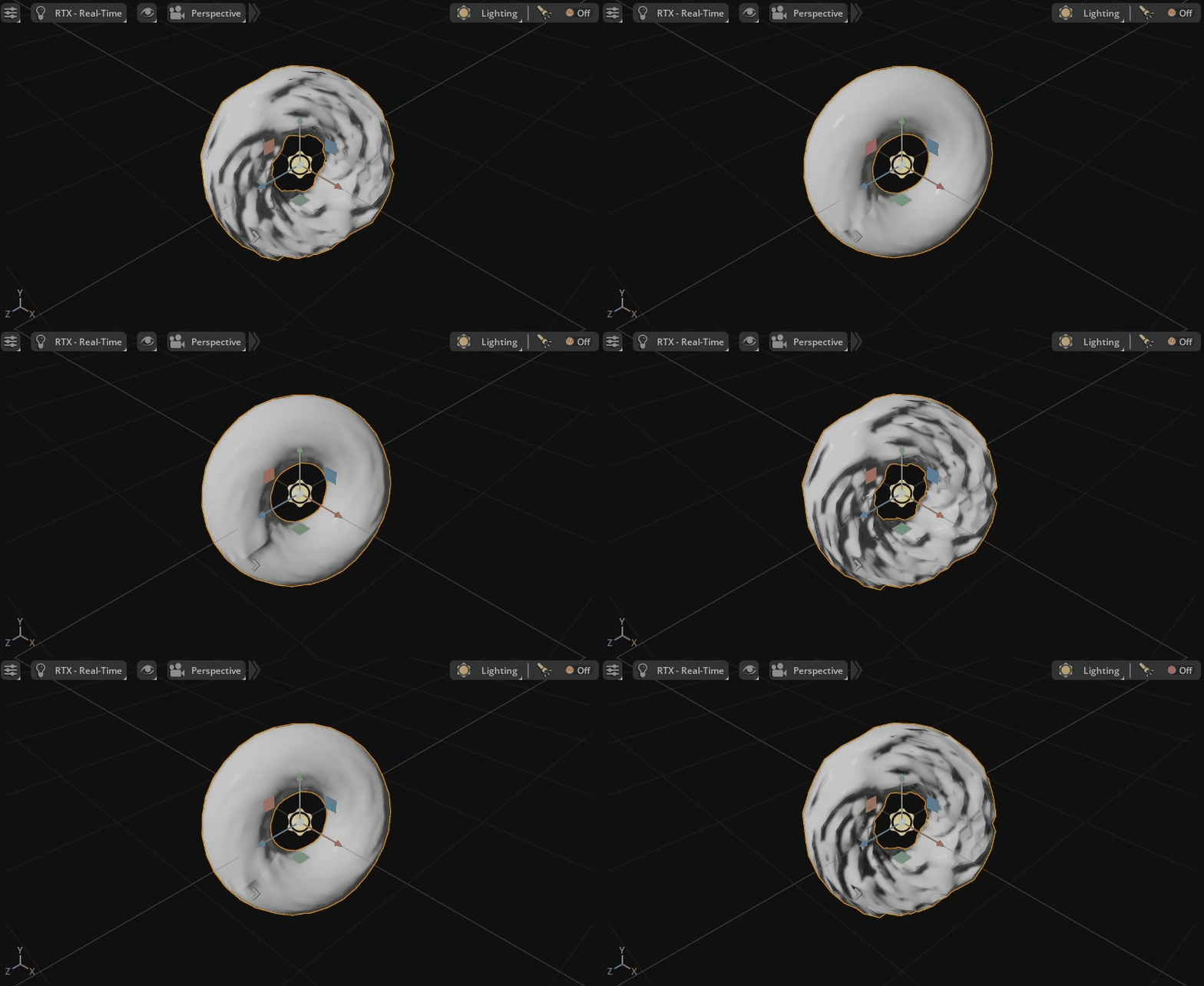
The warp kernel used here is very simple, but it is possible to achieve beautiful and complex results with Warp. Warp is amazing!
try:
    import numpy as np
    import warp as wp
    from usdrt import Sdf, Usd, Vt
except ImportError as exc:
    print(f"Skipping Warp example; missing dependency: {exc}")
else:
    wp.init()

    @wp.kernel
    def deform(positions: wp.array(dtype=wp.vec3), t: float):
        tid = wp.tid()

        x = positions[tid]
        offset = -wp.sin(x[0])
        scale = wp.sin(t) * 10.0

        x = x + wp.vec3(0.0, offset * scale, 0.0)

        positions[tid] = x

    def deform_mesh_with_warp(stage_id, path, time):
        """Use Warp to deform a Mesh prim."""
        if path is None:
            return "Nothing selected"

        stage = Usd.Stage.Attach(stage_id)
        prim = stage.GetPrimAtPath(Sdf.Path(path))
        if not prim:
            return f"Prim at path {path} is not in Fabric"

        if not prim.HasAttribute("points"):
            return f"Prim at path {path} does not have points attribute"

        # Tell OmniHydra to render points from Fabric.
        if not prim.HasAttribute("Deformable"):
            prim.CreateAttribute("Deformable", Sdf.ValueTypeNames.PrimTypeTag, True)

        points = prim.GetAttribute("points")
        pointsarray = points.Get()
        np_points = np.array(pointsarray, dtype=np.float32).reshape((-1, 3))
        warparray = wp.array(np_points, dtype=wp.vec3, device="cuda")

        wp.launch(kernel=deform, dim=len(np_points), inputs=[warparray, time], device="cuda")

        points.Set(Vt.Vec3fArray(warparray.numpy()))

        return f"Deformed points on prim {path}"
C++ (No GPU for simplicity of example)#
In the python example, this uses warp to run the deformation on GPU The more correct C++ equivalent would be to write a CUDA kernel for this but for simplicity of this example, do the deformation here on CPU.
inline std::string ExampleCppUsdrtExtension::deform_mesh(long int stageId, usdrt::SdfPath* path, float time)
{
    // Deform a Mesh prim.
    if (!path || path->IsEmpty())
    {
        return "Nothing selected";
    }

    usdrt::UsdStageRefPtr stage = usdrt::UsdStage::Attach(omni::fabric::UsdStageId(stageId));
    usdrt::UsdPrim prim = stage->GetPrimAtPath(*path);
    if (!prim)
    {
        return "Prim at path " + path->GetString() + " is not in Fabric";
    }

    if (!prim.HasAttribute("points"))
    {
        return "Prim at path " + path->GetString() + " does not have points attribute";
    }

    // Tell OmniHydra to render points from Fabric.
    if (!prim.HasAttribute("Deformable"))
    {
        prim.CreateAttribute("Deformable", usdrt::SdfValueTypeNames->PrimTypeTag, true);
    }

    usdrt::UsdAttribute points = prim.GetAttribute("points");
    usdrt::VtArray<usdrt::GfVec3f> pointsarray;
    points.Get(&pointsarray);

    // In the Python example, Warp runs the deformation on GPU. The more
    // complete C++ equivalent would use a CUDA kernel, but this extension
    // example keeps the deformation on CPU for simplicity.
    for (usdrt::GfVec3f& point : pointsarray)
    {
        float offset = -std::sin(point[0]);
        float scale = std::sin(time) * 10.0f;
        point = point + usdrt::GfVec3f(0.0f, offset * scale, 0.0f);
    }

    points.Set(pointsarray);

    return "Deformed points on prim " + path->GetString();
}