

Extension: omni.kit.browser.configurator_samples-1.0.5 |
Documentation Generated: Oct 23, 2026 |
Overview#
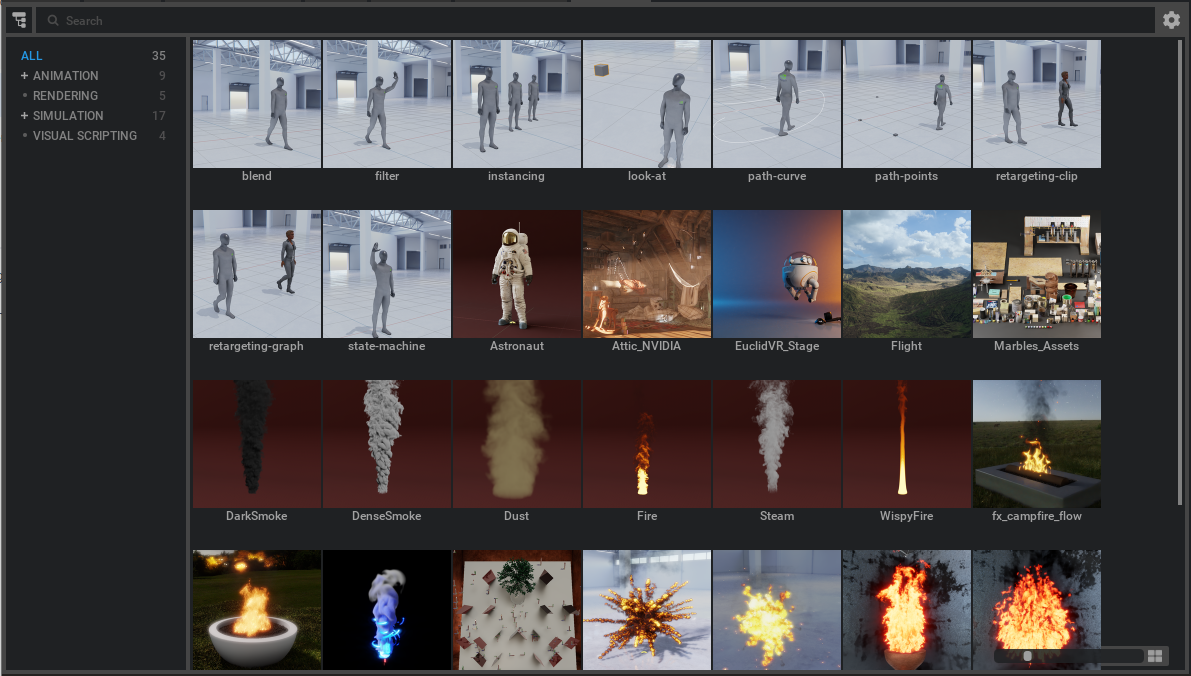
The Configurator Samples Browser extension aggregates configurator sample collections from multiple sources into a single, unified viewer. It presents a simple mechanism to browse popular content like showcases, rendering examples, and configurator samples within Omniverse Kit. This extension leverages predefined sample paths and allows for dynamic registration of new sample folders.
Concepts#
The extension follows a model-view approach, where a central model manages sample folder paths and a dedicated window presents the samples to users.
It maintains a singleton instance, allowing global access through its public API functions.
Users can extend its functionality by adding or removing sample collections using the provided registration functions.
Functionality#
Aggregates sample folder paths specified in its configuration settings and via API calls.
Provides a dedicated menu entry (e.g., in the Window/Browsers category) from where users can launch the samples browser window.
Supports dynamic updates to the list of sample collections without modifying the core settings.
Key Components#
get_instance: Returns the singleton instance of the extension, enabling other parts of your application to interface with the sample browser.
register_sample_folder(url: str, name: str | None = None): Dynamically registers a new sample folder for display. If no name is provided, it uses the folder’s basename as the collection name.
unregister_sample_folder(url: str): Removes a previously registered folder from the browser.
Relationships#
The extension builds upon core functionalities provided by modules such as omni.kit.browser.core and omni.kit.browser.folder.core, which supply the underlying infrastructure for sample management.
Integration with omni.kit.menu.utils and omni.kit.window.file facilitates a consistent UI experience and window management within the Omniverse Kit environment.