

Asset Browser#
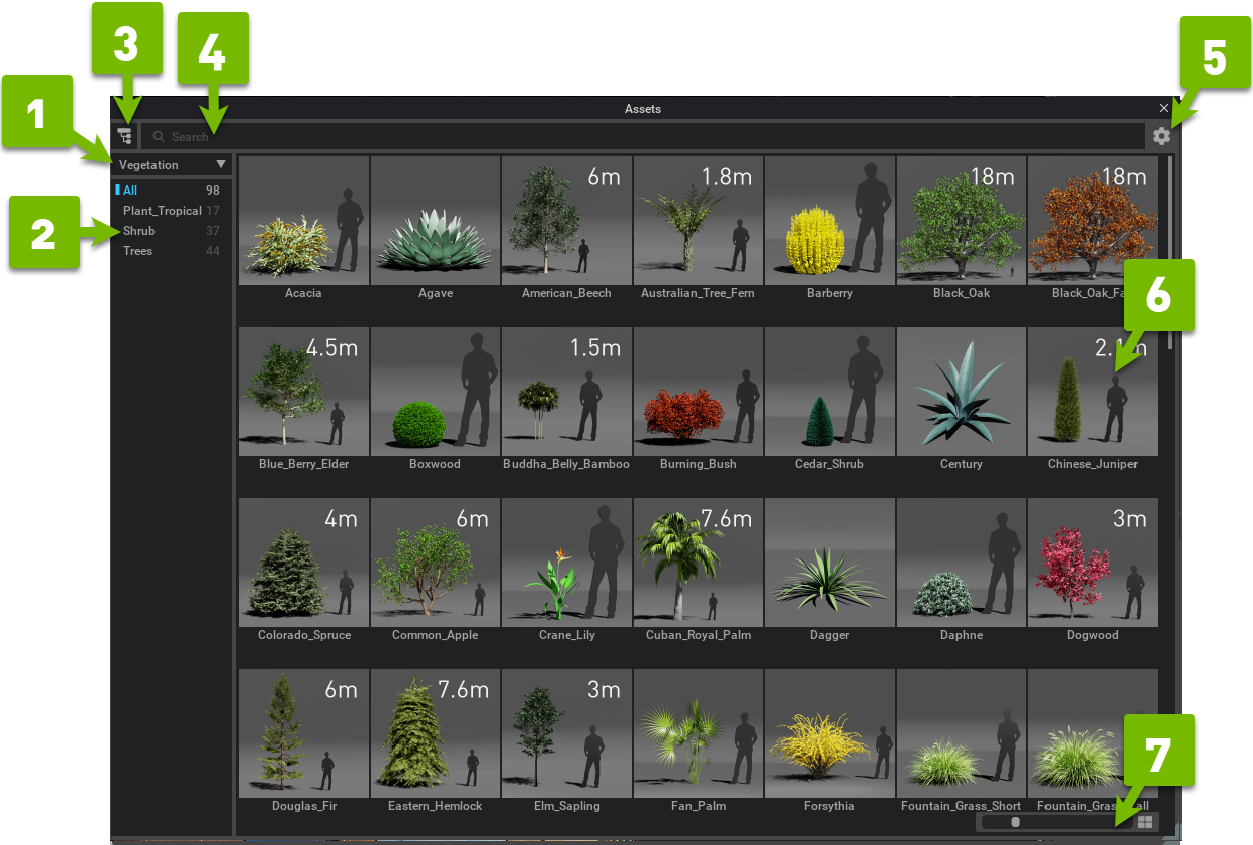
Ref # |
Option |
Result |
|---|---|---|
1 |
Collection Selector |
Allows selection of a specified collection. |
2 |
Category List |
Displays a list of categories found within the collection. |
3 |
Show/Hide Category List |
Toggles the Category list on and off. |
4 |
Search |
Searches the current collection for the terms provided. |
5 |
Options |
Add Collection: Browse to select a asset folder to be used as a collection. Remove Collection: Removes the currently selected collection in the collection selector. Generate Thumbnails (Selected/All/Library): Orders creation of thumbnails at the specified level. Preferences: Opens the preferences panel for the Asset Browser. |
6 |
Asset List |
Displays all assets in the selected category. |
7 |
Thumbnail Size |
Slider scales the thumbnails listed in the Asset List. |